Model Quotas
View the maximum tokens per minute (TPM), requests per minute (RPM), and current quota usage for each model in your BLACKBOX AI dashboard.
View model quotas
- Open Activity at
/activityin your dashboard. - Select the Usage tab.
- Click Show Quota next to the time range selection.
The Quota Usage panel expands to display each model's maximum TPM and RPM alongside its current usage.
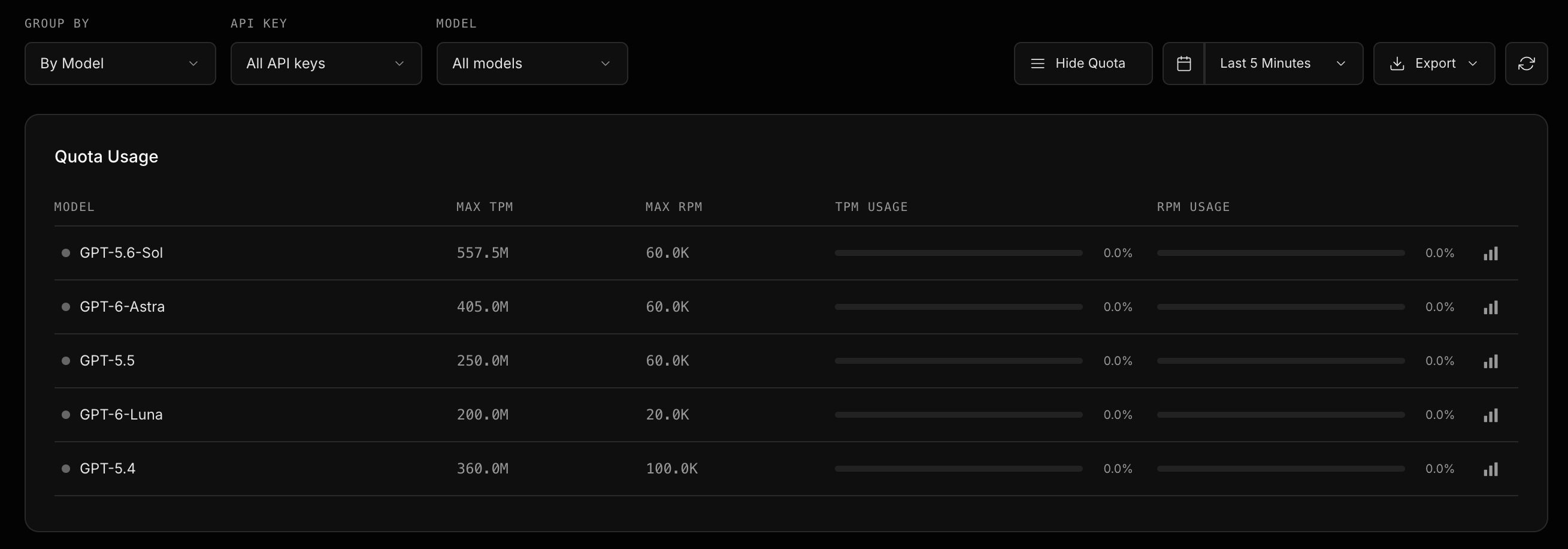
Click the screenshot to view it at full size. The values shown are an example; check your dashboard for your current quotas and usage.
Read the quota usage panel
| Column | Description |
|---|---|
| Model | The model the quota applies to. |
| Max TPM | The maximum number of tokens the model can process per minute. |
| Max RPM | The maximum number of requests the model can process per minute. |
| TPM Usage | Current token usage as a percentage of the model's TPM quota. |
| RPM Usage | Current request usage as a percentage of the model's RPM quota. |
Click Hide Quota to collapse the panel when you have finished reviewing it.