ACP Integration with Zed Editor
Complete guide to setting up Blackbox CLI with Zed editor using Agent Client Protocol (ACP)
Agent Client Protocol (ACP)
The Agent Client Protocol (ACP) is an industry-standard protocol that enables AI agents to communicate seamlessly with development tools. Blackbox CLI supports ACP, allowing you to integrate powerful AI coding assistance directly into editors like Zed.
What is ACP?
Agent Client Protocol (ACP) provides:
- Standardized Communication: A unified protocol for AI agents to interact with development environments
- Context-Aware Intelligence: The agent understands your project structure and coding patterns
Setting Up Blackbox CLI with Zed Editor
Follow these steps to configure Blackbox CLI as an external agent in Zed editor using ACP.
Prerequisites
Before you begin, ensure you have:
- Zed editor installed on your system (Download Zed)
- Blackbox CLI installed.
- Blackbox AI API key
Step-by-Step Setup Guide
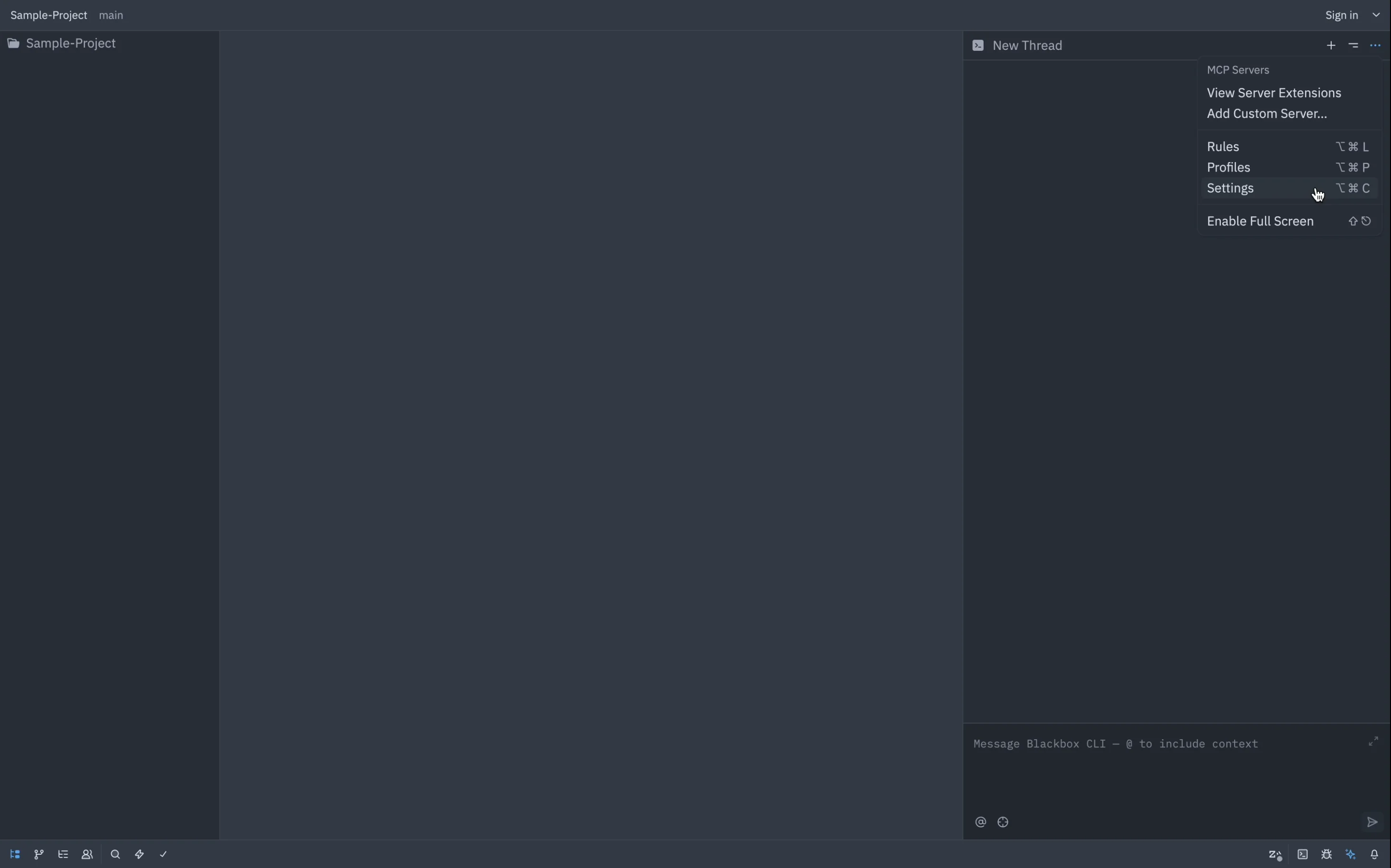
Step 1: Open Zed Settings
Click on the settings icon in Zed editor to access the configuration panel.
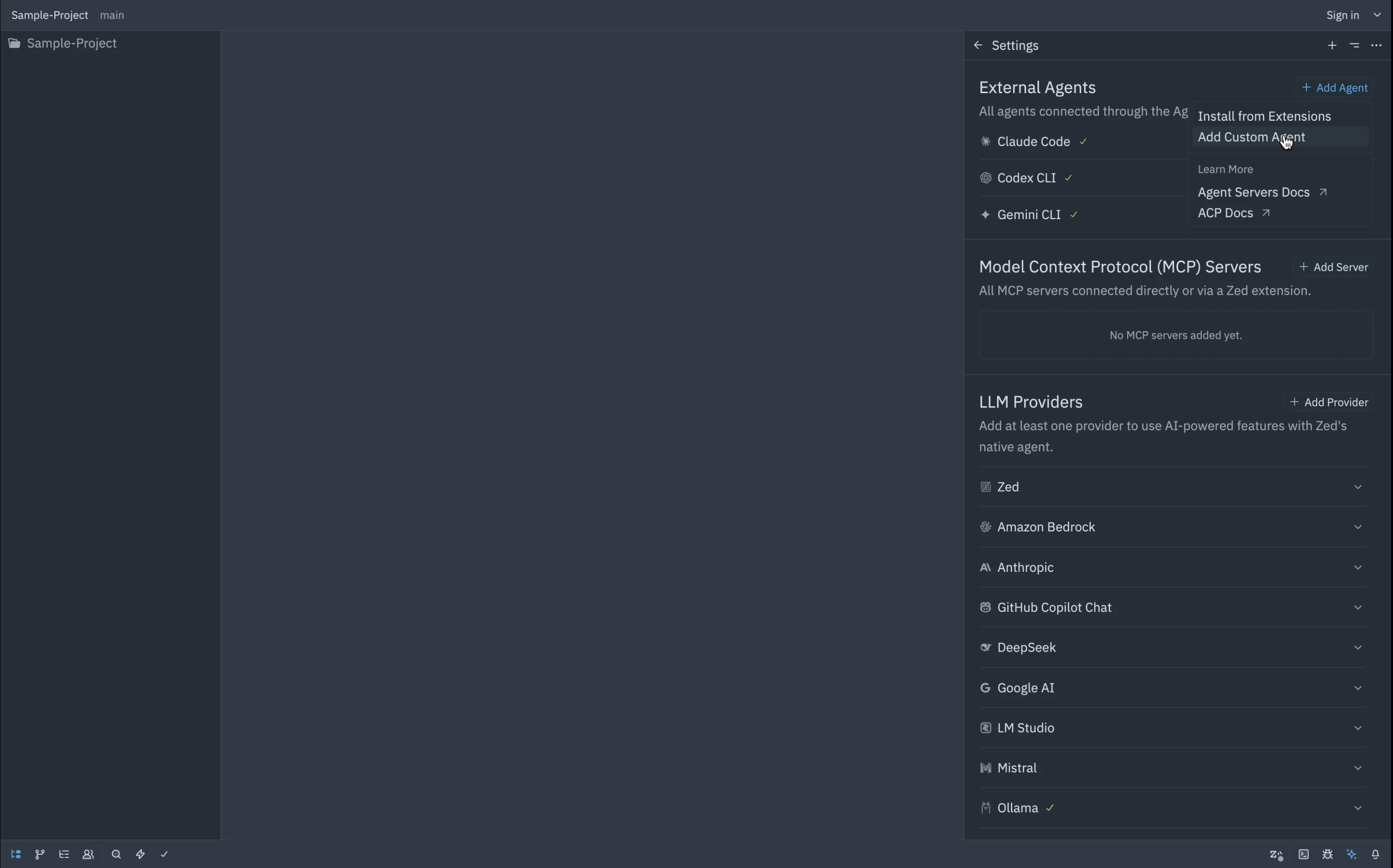
Step 2: Add Custom Agent
Navigate to the "External Agents" section and click on "Add Custom Agent" to begin configuring Blackbox CLI.
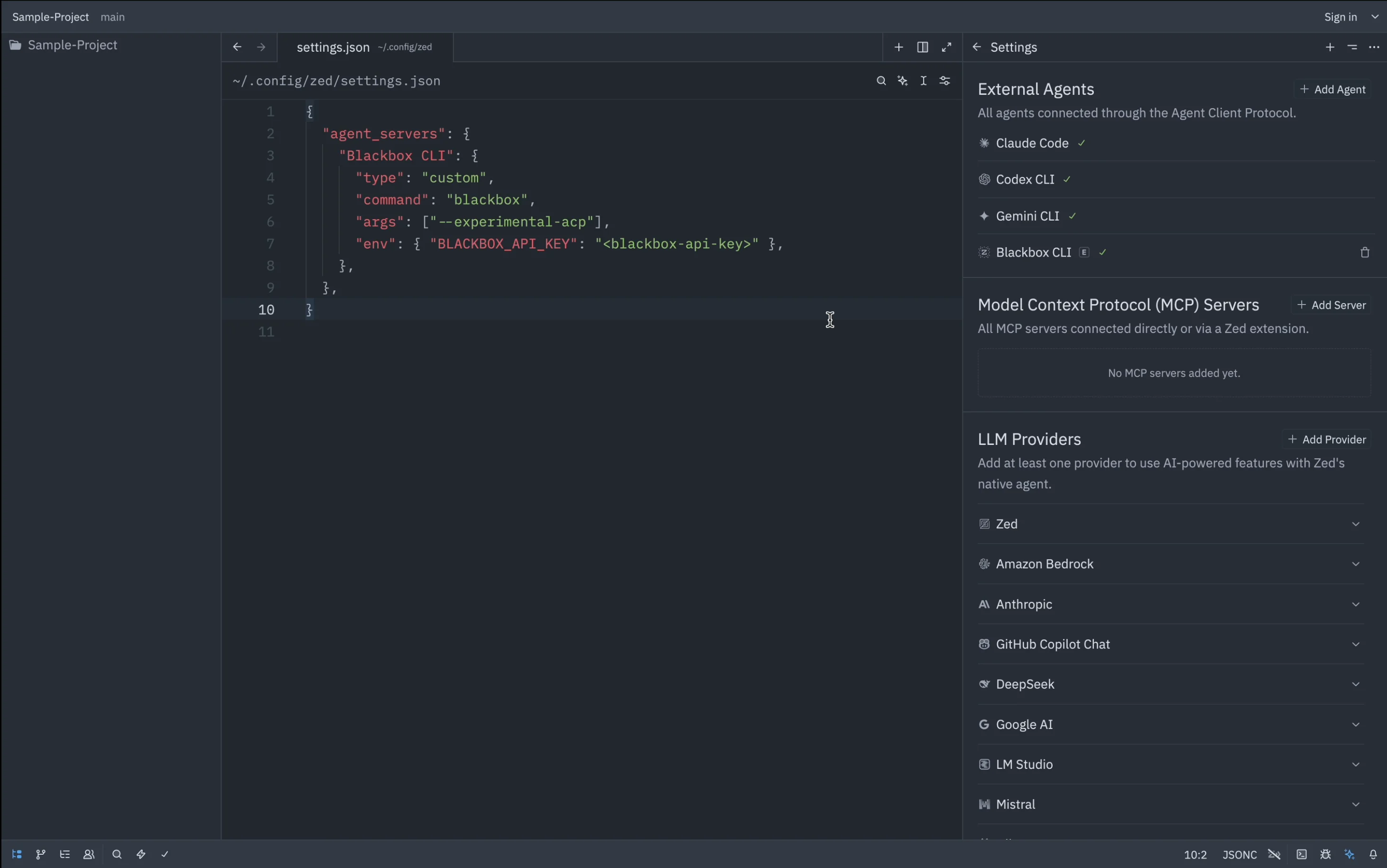
Step 3: Configure Blackbox CLI
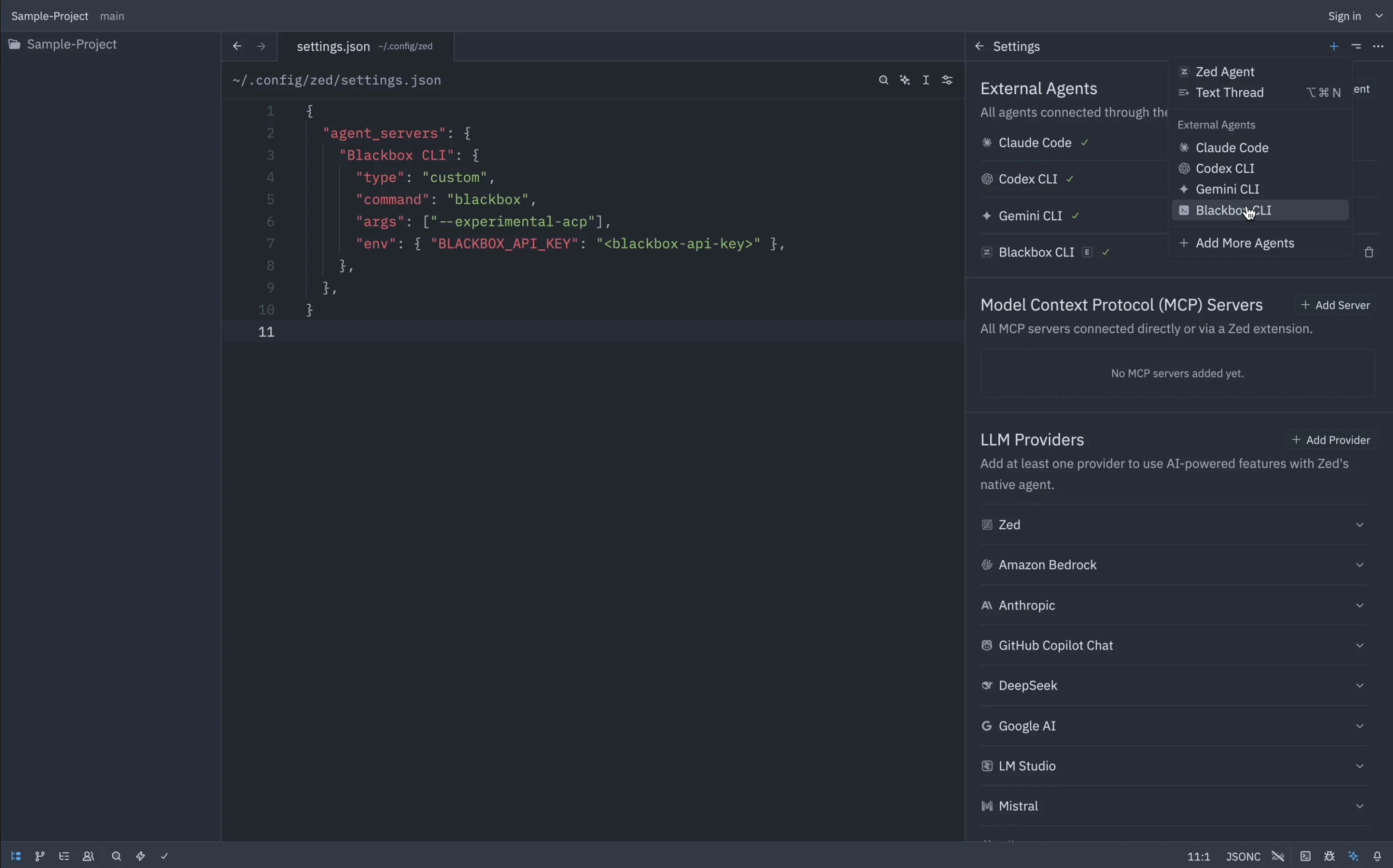
Add the following JSON configuration for Blackbox CLI in your Zed settings:
{
  "agent_servers": {
    "Blackbox CLI": {
      "type": "custom",
      "command": "blackbox",
      "args": ["--experimental-acp"],
      "env": { "BLACKBOX_API_KEY": "<your-blackbox-api-key>" }
    }
  }
}
Important: Replace <your-blackbox-api-key> with your actual Blackbox AI API key.
Step 4: Select Blackbox CLI Agent
Once configured, select "Blackbox CLI" from the External Agents list to activate it.
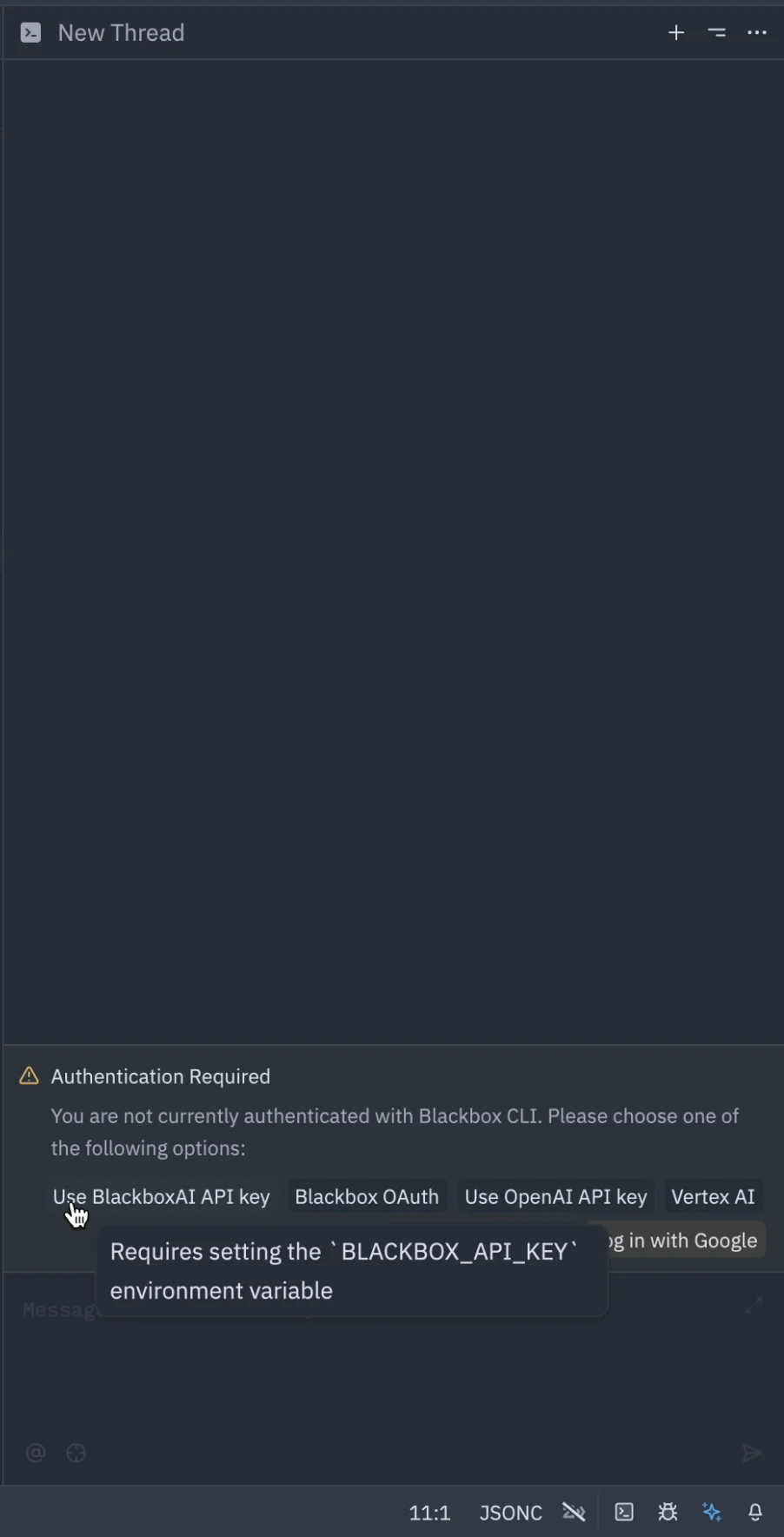
Step 5: Authenticate
If prompted for authentication, select "Use Blackbox AI API Key" to authenticate using your API key.
Step 6: Start Coding with AI
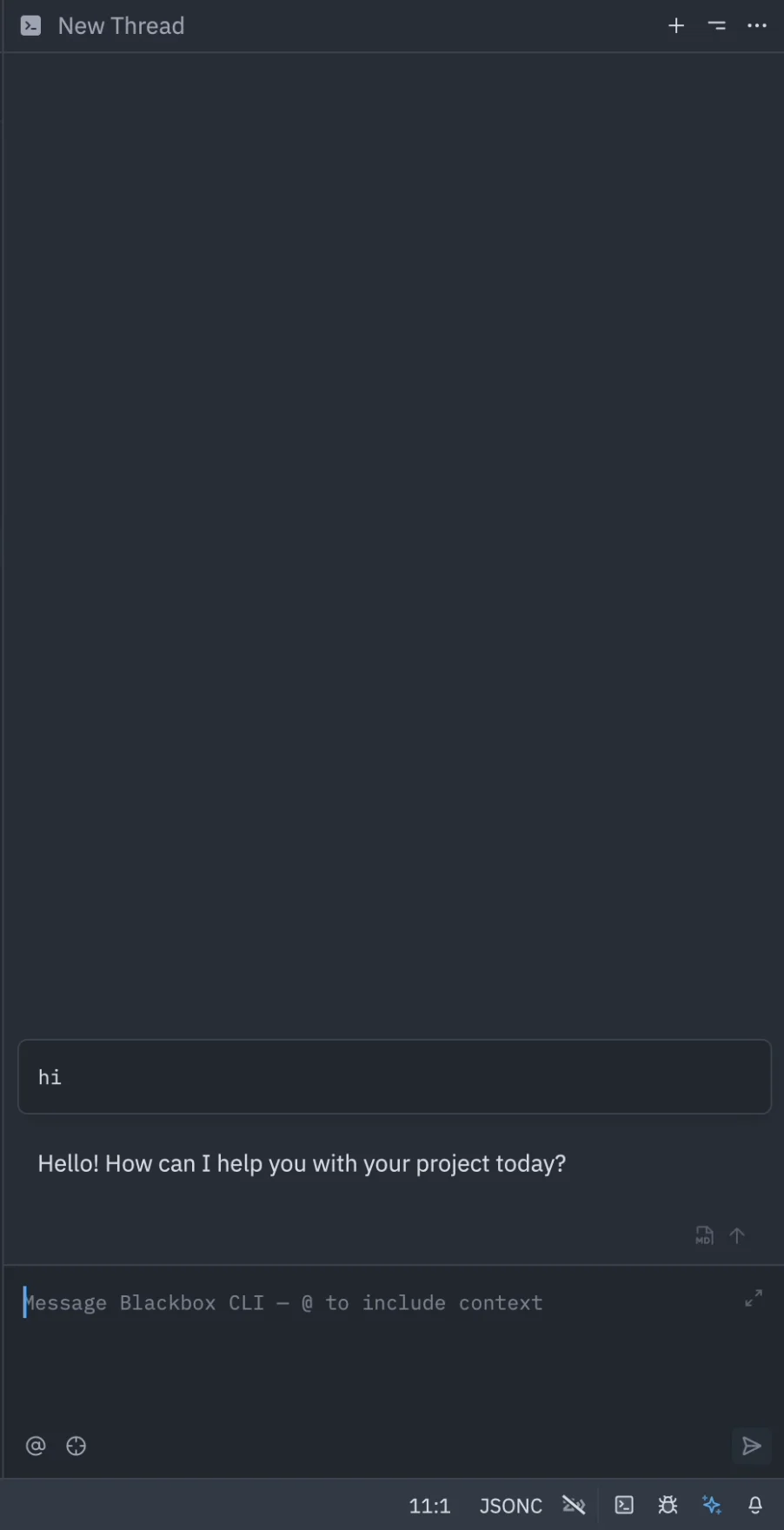
You're all set! Say "Hi" to test the agent configuration and start leveraging AI-powered coding assistance.